Our apps
Bazha is in Chrome, and the iPhone app is coming soon to the App Store. One account, so your wishlists are the same everywhere.

iPhone app
Your wishlists, reservations and friends’ wishlists on your phone.
How it works. Sign in with the same account you use on the website, and your wishlists are already there.
Coming soon to the App Store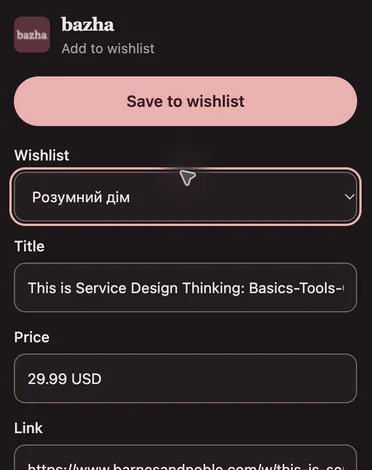
Chrome extension
Saves a product to your wishlist right from the shop’s page.
How it works. Click the Bazha icon in the Chrome toolbar, pick a wishlist and press Save. The extension usually fills in the title, price and photo itself.
Android
Coming later
There is no Android app yet. Wishlists open in the browser on any phone, with nothing to install.